.svg)
.svg)
Increasing Productivity: Tips for Using Workflow Features
In today's fast-paced work environment, maximizing productivity isn't just about working harder—it's about working smarter. Workflow features in modern project management tools can transform how your team collaborates, tracks progress, and delivers results. Here are practical tips to help you leverage these powerful features and boost your productivity.
 Obadea Gbenga
December 22, 2025
Productivity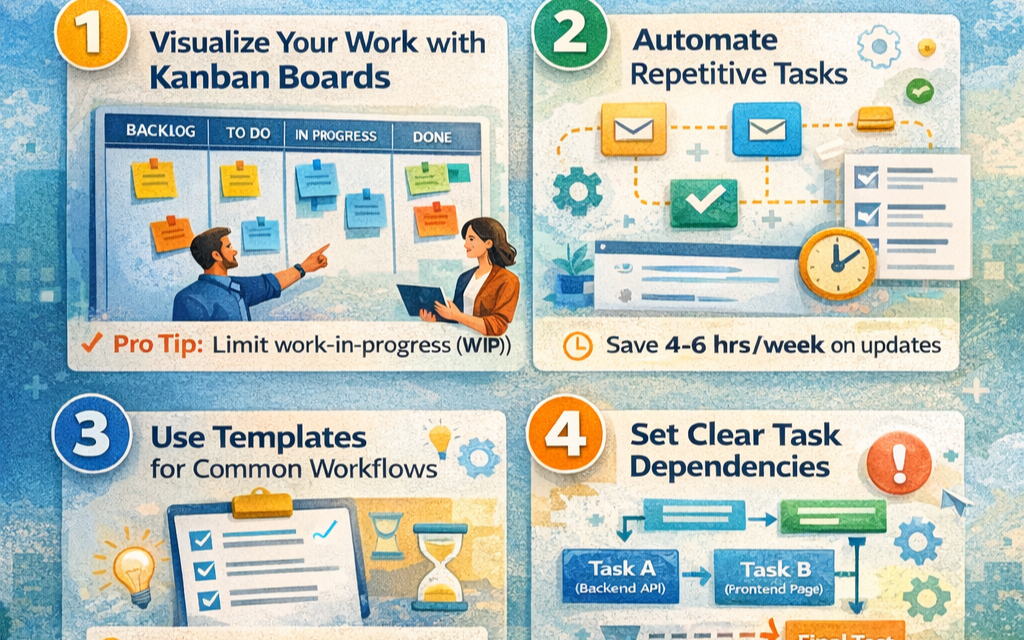
1. Visualize Your Work with Kanban Boards
The simplest way to increase productivity is to see what needs to be done at a glance.
How to use it:
- Create columns for each stage of your process (To Do, In Progress, Review, Done)
- Move tasks across columns as they progress
- Use color coding to indicate priority or task type
Pro Tip: Limit work-in-progress (WIP) to prevent multitasking. If your "In Progress" column is full, finish existing tasks before starting new ones.
Impact: Teams using visual workflows report 25% faster task completion and reduced "What should I work on next?" confusion.
2. Automate Repetitive Tasks
Stop wasting time on manual updates and let automation handle the routine work.
Automation ideas:
- Auto-assign tasks based on task type or team member availability
- Send automatic notifications when tasks move to specific stages
- Update task status when linked pull requests are merged
- Create recurring tasks for regular activities (weekly reports, monthly reviews)
Example: Set up a rule that automatically moves tasks to "Review" when marked as complete, and notifies the relevant team lead.
Time Saved: Teams save an average of 4-6 hours per week on status updates alone.
3. Use Templates for Common Workflows
Don't reinvent the wheel for recurring projects or processes.
Create templates for:
- Sprint planning
- Bug fix workflows
- Feature development cycles
- Onboarding new team members
- Content creation and approval
Quick Win: Build a template once, reuse it dozens of times. A 30-minute investment can save hours over the course of a year.
4. Set Clear Task Dependencies
Understanding what blocks what prevents bottlenecks and keeps work flowing.
Best practices:
- Link related tasks to show dependencies
- Identify critical path items that could delay the entire project
- Get automatic alerts when blocking tasks are completed
Real-world benefit: No more daily check-ins asking "Is task X done yet?" The system notifies you automatically.
5. Leverage Custom Fields and Filters
Generic task lists don't cut it. Customize your workflow to match how your team actually works.
Useful custom fields:
- Effort estimate (story points, hours)
- Priority level (Critical, High, Medium, Low)
- Team or department
- Sprint number
- Client or project name
Power move: Create saved filters for common views:
- "My tasks due this week"
- "High-priority bugs"
- "Tasks waiting for review"
- "Blocked items needing attention"
6. Track Time and Analyze Metrics
You can't improve what you don't measure.
Key metrics to monitor:
- Cycle time: How long tasks take from start to finish
- Throughput: Number of tasks completed per sprint
- Bottlenecks: Which workflow stage has the most backlog
- Team velocity: How much work your team completes over time
Actionable insight: If your "Review" stage consistently has a 3-day backlog, you might need more reviewers or smaller tasks.
7. Integrate with Your Existing Tools
Your workflow tool should connect with the apps you already use.
Popular integrations:
- Slack/Teams: Get task updates in your chat channels
- GitHub/GitLab: Link code commits to tasks
- Calendar apps: Sync deadlines and meetings
- Email: Create tasks from emails
- Time tracking tools: Log hours directly on tasks
Benefit: Context switching kills productivity. Integrations bring everything into one place.
8. Use Subtasks for Complex Projects
Break down large tasks into manageable chunks.
Why it works:
- Makes progress visible and measurable
- Prevents overwhelm from huge tasks
- Allows parallel work by multiple team members
- Provides natural checkpoints for quality checks
Example: Instead of "Build new feature" (vague, intimidating), create:
- Design database schema
- Create API endpoints
- Build frontend components
- Write tests
- Update documentation
9. Implement Daily Stand-up Rituals
Use your workflow board as the centerpiece of daily check-ins.
Effective stand-up format (15 minutes max):
1. Review the board from right to left (Done → In Progress → To Do)
2. Each person shares: What I completed, what I'm working on, any blockers
3. Update the board in real-time during the meeting
4. Address blockers immediately or schedule follow-ups
Result: Everyone stays aligned, blockers get resolved faster, and the board stays current.
10. Archive Completed Work Regularly
A cluttered workflow board is a productivity killer.
Best practices:
- Archive completed tasks weekly or at the end of each sprint
- Keep the board focused on active and upcoming work
- Use search and filters to find archived items when needed
- Review archived work during retrospectives for insights
Mental benefit: A clean board reduces cognitive load and helps teams focus on what matters now.
11. Set Up Notifications Wisely
Too many notifications = noise. Too few = missed deadlines.
Smart notification strategy:
- Enable alerts for tasks assigned to you
- Get notified when you're mentioned in comments
- Receive updates on tasks you're watching
- Turn off bulk notifications for every board change
Balance: Stay informed without being overwhelmed.
12. Use Labels and Tags Strategically
Labels make filtering and organizing effortless.
Effective labeling systems:
- By type: Bug, Feature, Enhancement, Documentation
- By priority: P0 (Critical), P1 (High), P2 (Medium), P3 (Low)
- By status: Blocked, Waiting for Feedback, Ready for Review
- By theme: Performance, Security, UX, Backend
Quick tip: Use consistent naming conventions across all projects for easier reporting.
13. Collaborate with Comments and Mentions
Keep all communication about a task in one place.
Communication best practices:
- Use @mentions to notify specific team members
- Attach files and screenshots directly to tasks
- Document decisions in comments for future reference
- Use threaded conversations to keep discussions organized
Advantage: No more hunting through email chains or chat history to find context.
14. Plan Sprints with Capacity in Mind
Overcommitting leads to burnout and missed deadlines.
Smart sprint planning:
- Review team velocity from previous sprints
- Account for holidays, meetings, and other commitments
- Leave buffer time for unexpected issues
- Prioritize ruthlessly—not everything can be P0
Reality check: Teams that plan realistic sprints have 40% higher completion rates than those who overcommit.
15. Conduct Regular Retrospectives
Your workflow should evolve with your team.
Retrospective questions:
- What workflow stages are causing delays?
- Are our WIP limits appropriate?
- Which automations would save us the most time?
- What custom fields or filters would be helpful?
- Are we using the right tools and integrations?
Continuous improvement: Small tweaks to your workflow compound into major productivity gains over time.
Quick Wins: Start Here
If you're new to workflow features, start with these three high-impact actions:
Create a visual board with basic columns (To Do, In Progress, Done)
Set up one automation (e.g., auto-notify when tasks are completed)
Establish a daily stand-up using the board as your guide
These three changes alone can boost team productivity by 20-30% within the first month.
Common Mistakes to Avoid
❌ Making workflows too complex - Start simple, add complexity only when needed
❌ Ignoring the board - If it's not updated, it's useless
❌ No clear "done" criteria - Define what "complete" means for each stage
❌ Skipping retrospectives - Your workflow should improve over time
❌ One-size-fits-all approach - Customize workflows for different project types
Conclusion
Workflow features aren't just nice-to-have additions—they're essential tools for modern, productive teams. By implementing these tips, you'll:
✅ Reduce time spent on status updates and coordination
✅ Increase visibility into project progress
✅ Identify and resolve bottlenecks faster
✅ Make data-driven decisions about capacity and priorities
✅ Create a culture of continuous improvement
The key is to start small, measure results, and iterate. Pick 2-3 tips from this list, implement them this week, and watch your team's productivity soar.
What's your favorite workflow feature? Share your productivity tips in the comments below!
Tags: #Productivity #WorkflowManagement #ProjectManagement #TeamCollaboration #Agile #Efficiency #ProductivityTips